


SIPA (Student’s Individual Permanent Account) is the personal account every HESLB loan applicant or beneficiary holds within the OLAMS portal it is not a standalone website but rather your dedicated space inside the larger system. From the moment you submit a loan application, SIPA becomes your permanent digital record with HESLB, tracking your details across your entire academic journey, even as you move from one year of study to the next or transition from a beneficiary to a loan repayer. Because it stays linked to your Form Four Index Number, the same SIPA account follows you for as long as you remain in the HESLB system, making it the single place where your application history, allocation amounts, and repayment information all come together.
SIPA is not a separate website on its own it lives inside OLAMS (Online Loan Application and Management System), which is the official portal run by the Higher Education Students’ Loans Board (HESLB). In short:
- HESLB — the government board that issues and manages student loans
- OLAMS — the online system/portal where loan activities happen
- SIPA — your personal account inside that system
Think of OLAMS as the building, and SIPA as your own office inside it every document, application, and repayment record connected to you is kept there.
What Can You Do Once You Log In?
Once you access your SIPA account through OLAMS, you can:
- Submit a new loan application or check an existing one
- View whether your loan has been approved, rejected, or is still pending
- See the exact loan amount allocated to you after batch approval
- Download loan statements and offer letters
- Track your loan repayment balance and due dates
- Submit an appeal if you’re unhappy with your loan allocation
- Apply for a refund, where applicable
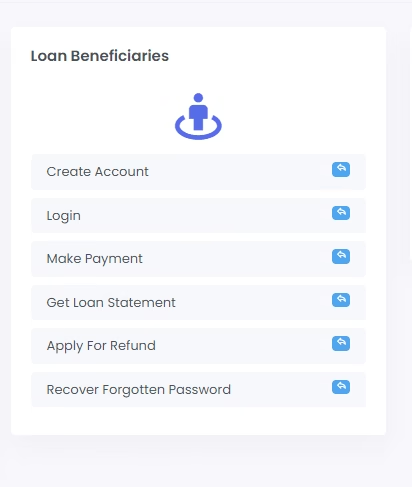
How to Log In to SIPA via OLAMS
The login process is straightforward once you know where to look. Here’s exactly how to do it:
- Open your browser and go to the official OLAMS portal at https://olas.heslb.go.tz/
- Look for “Login as Registered User” or “Login for Registered Applicants” on the homepage.
- Enter your username for most applicants this is your Form Four Index Number (for example, S0143.0078.1990).
- Type in your password the one you created when you registered or first applied.
- Enter the security code (captcha) shown on the screen exactly as displayed.
- Click the “Login” button to enter your SIPA dashboard.
| Quick Tip Always type your Index Number carefully, including the dots a single typo will block your login. Avoid using public Wi-Fi when entering your password for extra safety. Bookmark the official OLAMS link so you don’t accidentally land on a fake site. |
Forgot Your SIPA HESLB Password? Here’s the Fix
Forgetting a password happens to everyone, and HESLB has built a simple recovery process for this exact situation. Here’s what to do:
- On the OLAMS login page, click “Forgot your password?” or “Recover Forgotten Password.”
- Enter your registered username (your Form Four Index Number) or the email address linked to your account.
- Check your email inbox HESLB will send a password reset link shortly after.
- Click the link in the email and follow the instructions to create a new password.
- Return to the OLAMS login page and sign in using your new password.
If the reset link doesn’t arrive within a few minutes, check your spam or junk folder before trying again.
New to OLAMS? How to Create a SIPA Account
If you’ve never registered before, setting up your account only takes a few steps:
- Go to the OLAMS homepage and click “Signup now” below the login fields.
- Choose your sign-up type for example, Loan Details, Loan Repayment, or Refund Application.
- Fill in the registration form with your name, contact details, and a username and password of your choice.
- Agree to the HESLB Terms of Use, then submit the form.
- Use your new login details going forward to access your SIPA account.
Common Login Problems and How to Solve Them
- Login keeps failing: Double-check your Index Number and password for typing mistakes. If it still fails, use the password reset link.
- Forgotten username: Your username is usually your Form Four Index Number — check old school documents if you’ve misplaced it.
- Website is slow or unresponsive: This is common during peak application periods. Try logging in early in the morning or late at night.
- No reset email received: Confirm the email address you entered matches exactly what you registered with, then check your spam folder.
Need Further Help? Contact HESLB Directly
If you’re still stuck after trying the steps above, you can reach HESLB support through:
- Phone/Call Centre during official working hours
- WhatsApp support line
- Official social media pages (Facebook, X/Twitter, Instagram HESLB Tanzania)
- The e-Mrejesho feedback platform on www.heslb.go.tz
Always confirm contact details directly from the official HESLB website, as phone numbers and support channels are occasionally updated.
Final Thoughts
Logging in to your SIPA account through OLAMS doesn’t need to be complicated. Once you know your correct Index Number, keep your password safe, and understand the recovery steps, managing your HESLB loan from application to repayment becomes a quick and stress-free task.
